
Fixing Citrix Delivery Services Console “An error occurred” Message in XenApp 6
Originally published: 2014
Updated: 2026
Archive status: Recovered
Archive Note
This article is based on recovered DigiDope source material and has been updated in 2026 for clarity, formatting, and readability while preserving the original issue and resolution.
Problem
In XenApp 6, the Delivery Services Console can sometimes return the following message:
Citrix Delivery Services Console – An error occurred. Try performing the task again. If the problem persists, contact support.
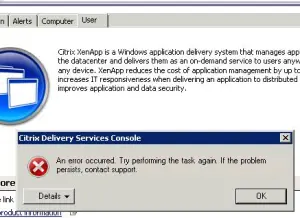
At first glance, this can look like datastore corruption. In early cases, that was often the working assumption, especially when the error appeared after making changes such as repeatedly adjusting policy priority. In practice, however, the underlying problem may not be actual datastore corruption at all.
Symptoms
The issue presented as follows:
- the Delivery Services Console would fail when reading or displaying policy information
- administrative changes in the console could trigger the error
- the environment appeared unstable enough that datastore corruption was initially suspected
- restoring the database from backup would temporarily resolve the issue, but was disruptive and not a practical long-term solution
Initial workaround
Earlier in the lifecycle of the issue, the environment responded for a time to the following approach:
- install Citrix hotfix DSCXAMx600W005 on all XenApp servers
- run dsmaint /recreatelhc
That improved behavior temporarily, but over time the same “corruption-like” symptoms returned.
Cause
After engaging Citrix support, the conclusion was that the datastore itself was not necessarily corrupted. Instead, the more likely problem was that the Delivery Services Console could no longer correctly read the datastore under the current software state.
That distinction matters.
If the datastore is still healthy but the console cannot interpret it properly, restoring from backup may hide the issue without actually addressing the software mismatch causing the behavior.
Resolution
The fix provided at the time was to install two Citrix hotfixes:
- DSCXAMc600W010
- XA600R02W2K8R2X64051
After installing the hotfixes and rebooting the Zone Data Collector, the user policies became visible again immediately, without needing to recreate the local host cache.
Important implementation note
These fixes needed to be installed on all XenApp servers in the farm, not just one system.
That was important for two reasons:
- it maintained a level-set environment across the farm
- policies are applied on the server where the user logs in, so a server missing the hotfix might still fail to read the current datastore properly
In practical terms, partial rollout could leave the environment inconsistent even if one management server appeared fixed.
Caveat
At the time the original article was written, DSCXAMc600W010 was still a limited-release hotfix and required contacting Citrix support directly rather than downloading it from a public link. That distribution model may no longer be relevant today, but it was part of the original troubleshooting path.
Why this issue mattered
This was a good example of how enterprise administrators can be led toward the wrong root cause by a vague management-console error. The visible symptom suggested corruption, but the more accurate explanation was a software-layer problem affecting the console’s ability to read the datastore correctly.
That difference changed the response from “restore the database” to “correct the farm’s hotfix level.”
Context (2026)
XenApp 6 is long past its prime, but older Citrix environments and archived operational knowledge still matter. This article remains useful as an example of a broader troubleshooting lesson: not every datastore-related management error is true corruption, and management-plane failures can sometimes be resolved by correcting version or hotfix mismatches rather than reverting data.
2026 Editor’s Note
The original article was written as a practical field note after repeated encounters with this issue in production. In this updated version, the fix and operational lesson have been preserved, but the structure has been expanded to make the distinction between apparent corruption and console-readability failure clearer for modern readers.
Related Reading
- Fixing Microsoft Office 2016 Error 0-1005: Administrative Privileges Required
- Fixing SMB Permission Issues in Modern Windows Environments
- Field Notes: Why Real-World IT Behavior Matters